
In today’s fast-paced digital environment, businesses across industries are rapidly adopting electronic signature (e-signature) solutions to streamline workflows, enhance security, and improve operational efficiency. Whether you’re a small business owner or managing a large enterprise, optimizing your document workflows is critical to staying competitive in an increasingly digital world. E-signatures offer a modern, legally binding, and efficient alternative to traditional pen-and-paper methods, eliminating the bottlenecks associated with manual processes.
However, integrating e-signatures into your existing software stack can be a daunting challenge. Many organizations juggle complex systems, each with its unique requirements and limitations. From compatibility issues to user adoption hurdles, the process requires a strategic approach to ensure success. To help you navigate this transformation, we've developed a comprehensive guide tailored to the needs of small to medium-sized businesses (SMBs) and enterprises. This guide explores the benefits of e-signatures, provides actionable strategies for integration, and addresses common challenges to help your organization achieve a seamless transition.
Whether you’re an IT manager, a legal professional, or a business owner, the insights in this guide will empower you to make informed decisions and unlock the full potential of e-signature solutions.
1. Why E-Signature Integration Is Critical for Modern Businesses
Electronic signatures are no longer a “nice-to-have” feature—they’re a fundamental necessity for businesses operating in the 21st century. As digital transformation accelerates across industries, organizations must adopt tools that enhance efficiency, reduce costs, and ensure compliance. E-signatures check all these boxes and more, making them an indispensable component of modern workflows.
The Growing Demand for Digital Solutions
The shift towards digital transformation has been driven by the need for faster, more secure, and environmentally friendly processes. In a world where businesses are judged on their ability to adapt to change, e-signatures have become a cornerstone of operational efficiency. For example, during the COVID-19 pandemic, the adoption of e-signatures surged as businesses sought ways to maintain continuity while minimizing physical contact. Even post-pandemic, this trend has continued, with organizations recognizing the long-term benefits of digitized workflows.
Furthermore, the rise of remote work has amplified the importance of digital tools. Teams spread across different locations can collaborate seamlessly by using e-signatures, which enable real-time document approvals without the need for in-person meetings. This has proven invaluable for industries such as legal services, insurance, and real estate, where timeliness and accuracy are critical.
Adoption Trends and Statistics
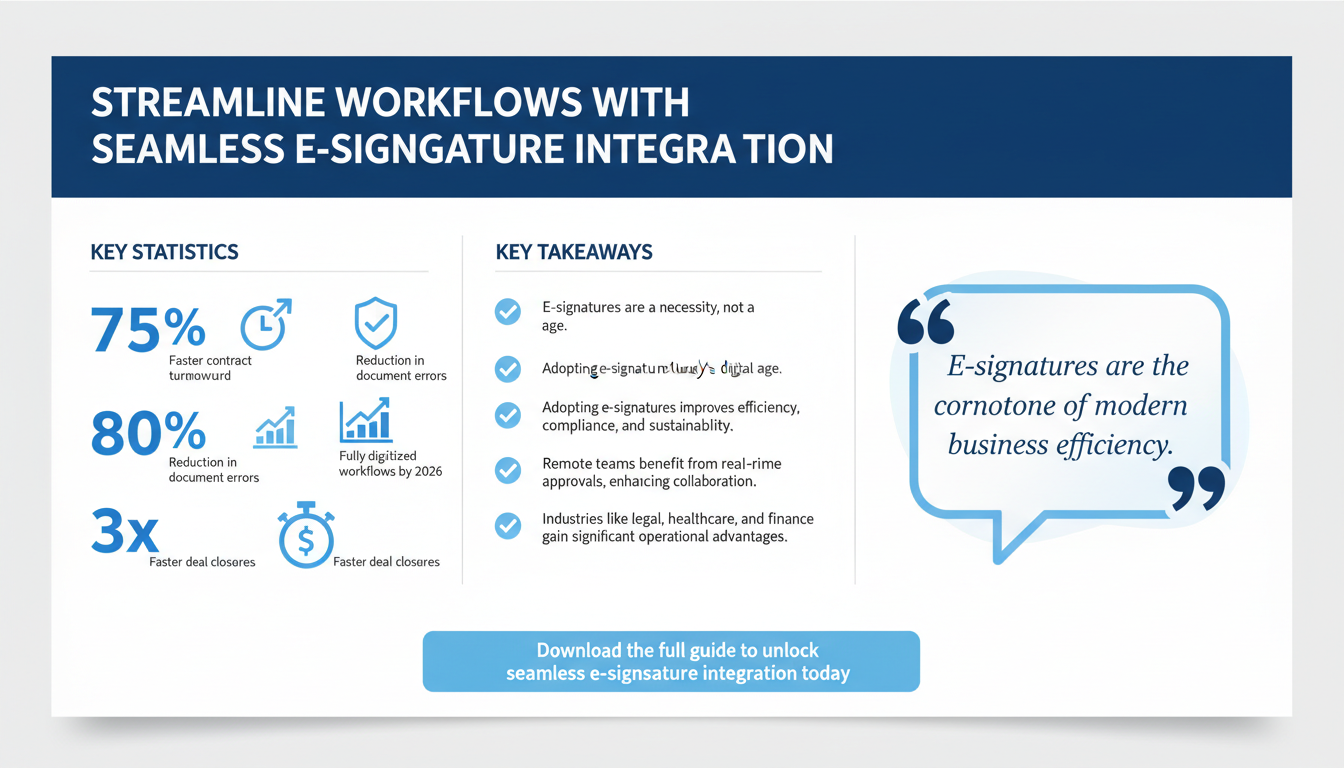
According to Forrester’s Total Economic Impact study, companies that implement e-signature solutions experience a 75% faster contract turnaround time and a 30% reduction in document errors. These statistics highlight the transformative potential of e-signatures. Additionally, Gartner predicts that by 2026, 85% of organizations will have fully digitized their document workflows, underscoring the urgency of adopting e-signature technologies.
Industries such as legal, healthcare, real estate, and finance have especially benefited from e-signatures due to their high volume of paperwork and stringent compliance requirements. For instance, real estate agents can close deals faster with digital contracts, while healthcare providers can streamline patient consent forms, improving both efficiency and patient satisfaction. Similarly, financial institutions can automate loan approvals, reducing processing times and enhancing customer experience.
Key Benefits of E-Signatures
Integrating e-signatures into your workflows offers several advantages:
- Improved Efficiency: Automating the signing process eliminates manual tasks, enabling faster document completion and reducing bottlenecks. For instance, contracts that once took weeks to finalize can now be signed within minutes. This is particularly beneficial for sales teams, where faster contract execution can directly impact revenue generation.
- Enhanced Security: Digital signatures employ encryption, authentication, and tamper-evident technology to safeguard sensitive information, reducing the risk of fraud or unauthorized alterations. Leading platforms often include audit trails, providing a detailed record of each step in the signing process.
- Cost Savings: By eliminating paper-based processes, businesses can significantly reduce expenses related to printing, storage, and administrative overhead. A study by McKinsey estimates that going paperless can cut operational costs by up to 50%. This not only benefits the bottom line but also reduces an organization’s carbon footprint.
- Legal Compliance: Leading e-signature platforms are designed to meet global legal standards, including the U.S. ESIGN Act, the EU’s eIDAS regulation, and industry-specific requirements like HIPAA for healthcare providers. Compliance ensures that electronic signatures are admissible in court and provide the same legal standing as traditional ink signatures.
As remote work becomes increasingly common, the demand for digital tools like e-signatures is only expected to grow. Businesses that fail to adopt these technologies risk falling behind competitors who have embraced digital transformation.

2. Assessing Your Current Software Stack for Compatibility
Before diving into e-signature integration, it’s essential to evaluate your current software stack to ensure compatibility. A thorough assessment will not only help you identify the best e-signature solution for your needs but also streamline the integration process and maximize ROI. Here’s how to get started:
Inventory Your Current Tools
Begin by creating a comprehensive inventory of all the software and tools your organization relies on for daily operations. This includes:
- Customer Relationship Management (CRM) Platforms: Examples include Salesforce, HubSpot, and Zoho CRM. These platforms are often used to manage client relationships, making e-signature integration critical for streamlining sales and contract processes.
- Document Management Systems (DMS): Tools like Microsoft SharePoint, Google Drive, and Dropbox are commonly used for storing and sharing documents. Integration with these systems ensures that signed documents are automatically saved in the appropriate folders.
- Enterprise Resource Planning (ERP) Software: Systems such as SAP, Oracle, and NetSuite often serve as the backbone of organizational operations. Integrating e-signatures with ERP systems can automate purchase orders, invoices, and other essential documents.
- Communication and Collaboration Tools: Platforms like Microsoft Teams, Slack, and Zoom may also play a role in your workflows. For instance, integrating e-signatures with Microsoft Teams can allow users to send, sign, and track documents directly within the platform.
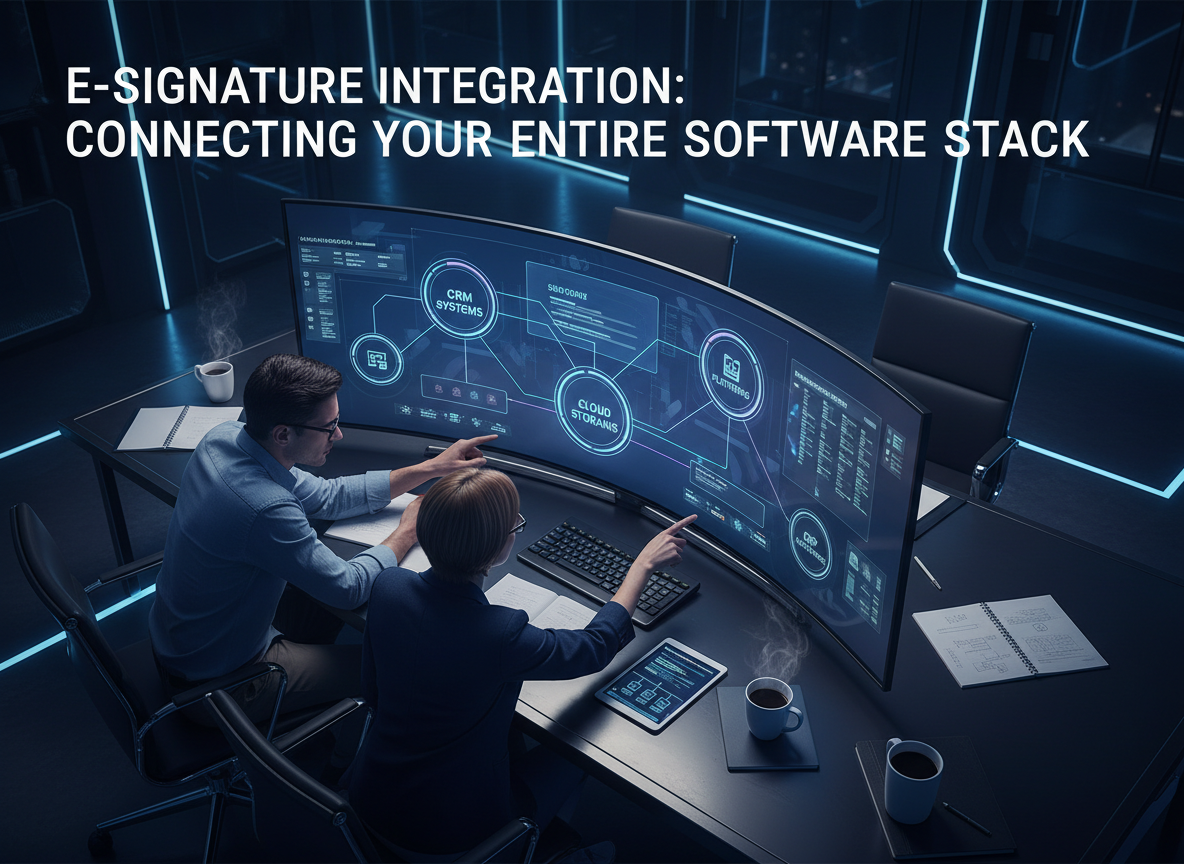
For each tool, gather information about its API capabilities, integration options (native or third-party), and data formats. This will help you identify potential integration points and ensure a seamless connection between systems. Additionally, consider whether your existing tools support Single Sign-On (SSO) or other security protocols to streamline user access.
Identify Integration Gaps
Once you’ve mapped out your software ecosystem, analyze it for any gaps where e-signature functionality is missing. For example:
- Does your CRM lack a built-in electronic signature feature, making it cumbersome to send contracts for signing?
- Are your contracts stored in a system that doesn’t support direct signing, requiring manual downloads and uploads?
- Do you need enhanced compliance tracking for regulated industries like healthcare or finance, where audit trails and detailed reporting are essential?
Identifying these gaps early on will help you choose the right solution and avoid potential roadblocks during implementation. For instance, if your organization frequently sends contracts from multiple departments, you might need a platform that supports multi-user access and role-based permissions.
Evaluate Scalability
As your business grows, your software stack must scale alongside it. Consider whether your current tools can handle increased document volumes, additional users, and more complex workflows. Scalability is particularly important for enterprises that handle high transaction volumes or operate across multiple locations. For example, a multinational corporation may require multi-language support and region-specific compliance features, which must be factored into the evaluation process.
Moreover, as your organization expands, so do your security needs. Ensure that the e-signature solution you choose offers enterprise-grade security features, such as end-to-end encryption, two-factor authentication, and detailed access controls.
3. Selecting the Right E-Signature Solution for Your Needs
Choosing the right e-signature platform is a critical step in ensuring a successful integration. With numerous options available in the market, it’s essential to evaluate each solution based on your organization’s unique needs. Here are the key factors to consider:
Legal Compliance
Ensure that the platform meets all relevant legal and regulatory requirements. For instance, the U.S. ESIGN Act and the EU’s eIDAS regulation set the legal framework for electronic signatures, while industry-specific standards like HIPAA apply to healthcare providers. Leading platforms such as DocuSign, Adobe Sign, and Zignature are designed to comply with these standards, providing peace of mind for businesses operating in regulated industries.
Additionally, consider the platform’s ability to generate detailed audit trails. These records are often required for legal disputes or compliance audits and can serve as critical evidence of the signing process.
Integration Capabilities
Look for solutions that offer robust integration options, including:
- Native Integrations: These are pre-built integrations with popular tools like Salesforce, Microsoft Teams, and Google Workspace. For instance, DocuSign offers seamless integration with Salesforce, allowing sales teams to send and track contracts directly from the CRM.
- APIs for Custom Workflows: If your organization requires a tailored approach, choose a platform with comprehensive API documentation and developer support. Custom APIs can enable advanced workflows, such as automatically triggering contract renewals based on predefined conditions.
- Third-Party Connectors: Platforms like Zapier and Make (formerly Integromat) can simplify the process of connecting your tools without requiring extensive coding. These connectors are especially useful for SMBs with limited IT resources.
For example, Zignature’s API allows seamless integration with various software platforms, enabling organizations to automate workflows and enhance efficiency.
Ease of Use
Adoption rates often hinge on how user-friendly a solution is. Choose a platform with an intuitive interface that requires minimal training for employees and clients. Features like drag-and-drop document uploads, customizable templates, and real-time progress tracking can significantly improve the user experience.
For instance, Adobe Sign offers a user-friendly dashboard that allows users to track the status of documents in real time, send reminders, and access signed documents with just a few clicks. This level of simplicity encourages widespread adoption across teams.

4. Step-by-Step Guide to Integrating E-Signatures
The process of integrating e-signatures into your software stack involves careful planning, execution, and optimization. Below is a step-by-step guide to ensure a successful implementation:
Step 1: Define Your Goals
Start by outlining your objectives for e-signature integration. Common goals include reducing contract turnaround times, improving compliance tracking, and enhancing the user experience. Clearly defined goals will serve as a roadmap for your implementation strategy. For instance, a law firm might prioritize compliance and audit trails, while a sales team might focus on speed and ease of use.
Step 2: Choose the Right Integration Approach
Decide whether you’ll use native integrations, API-based custom workflows, or third-party connectors. The choice depends on your organization’s technical capabilities, budget, and specific requirements. For example, a large enterprise with a dedicated IT team might opt for API-based workflows, while a small business might rely on native integrations to minimize complexity.
Step 3: Configure and Test
Work with your IT team to configure the integration settings. Create a test environment to identify and resolve any technical issues before deploying the solution across your organization. Testing should include scenarios such as signing documents from different devices, handling large document volumes, and ensuring data flows correctly between integrated systems.
Step 4: Train Your Team
Provide training sessions to ensure that employees understand how to use the e-signature platform effectively. Focus on demonstrating how the solution fits into their daily workflows and highlight its benefits. For example, a training session might include a live demonstration of how to send, sign, and track a document using the platform.
Step 5: Monitor and Optimize
After implementation, track key performance metrics such as document completion times, user adoption rates, and error rates. Use this data to refine your workflows and maximize ROI. For example, if adoption rates are lower than expected, consider conducting follow-up training sessions or simplifying the signing process.

5. Overcoming Common Integration Challenges
While e-signature integration offers numerous benefits, it also comes with its share of challenges. Here’s how to address some of the most common obstacles:
Challenge 1: Limited IT Resources
Solution: Choose platforms with low-code/no-code integration options and robust customer support. These features can help organizations with limited technical expertise implement e-signature solutions quickly and effectively. For example, platforms like DocuSign offer pre-built connectors for popular tools, reducing the need for custom development.
Challenge 2: Data Silos
Solution: Use APIs to ensure seamless data flow between systems. For example, integrating your e-signature platform with your CRM can enable automatic document updates, reducing manual data entry. Additionally, consider using middleware solutions like Zapier to bridge gaps between incompatible systems.
Challenge 3: Resistance to Change
Solution: Foster buy-in by highlighting the benefits of e-signatures, such as time and cost savings. Share success stories and provide hands-on training to alleviate concerns and build confidence in the new system. For instance, a case study showing how another company in your industry successfully adopted e-signatures can be a powerful motivator.

6. Measuring the ROI of E-Signature Integration
To justify your investment in e-signature technology, it’s crucial to measure its return on investment (ROI). Track metrics such as:
- Time Saved: Measure the reduction in time required to complete documents and contracts. For example, if your sales team previously took an average of five days to close a deal, and e-signatures reduce this to one day, the time savings are clear.
- Error Reduction: Calculate the decrease in document errors and associated costs. Errors in contracts can lead to delays and legal disputes, so minimizing them directly impacts productivity and risk management.
- Cost Savings: Assess savings on paper, printing, and storage expenses. For instance, a company that processes 1,000 contracts per month could save thousands of dollars annually by going paperless.
- Compliance Improvements: Evaluate how the solution helps your organization meet legal and regulatory requirements. For example, healthcare providers might track how e-signatures streamline HIPAA compliance for patient consent forms.
For example, a mid-sized law firm that integrated DocuSign reduced its contract completion time by 50% and saved $20,000 annually on administrative costs. By regularly reviewing these metrics, you can ensure that your e-signature solution continues to deliver value over time.
Pro Tip: Benchmarking Your Performance
Before implementing e-signatures, establish baseline metrics for your current document workflows. This will allow you to measure the impact of the new system more accurately. For instance, track the average time it takes to complete a contract, the number of errors per document, and the overall cost of your paper-based processes. Comparing these metrics post-implementation will help you quantify your ROI.
7. Case Studies: Successful E-Signature Integrations
Real-world examples highlight the transformative impact of e-signature solutions. Here are two notable case studies:
Healthcare: Streamlining Patient Onboarding
A regional hospital implemented Adobe Sign to digitize patient onboarding forms. This reduced processing times by 40%, allowing staff to focus more on patient care. The hospital also achieved significant cost savings by eliminating paper-based forms and reducing storage requirements. Additionally, the digital process improved the patient experience by allowing them to complete forms remotely before their appointments.
Legal: Enhancing Contract Accuracy
A law firm integrated DocuSign with its case management software, improving contract accuracy by 30% and reducing disputes. The platform’s audit trails provided a clear record of the signing process, which proved invaluable in resolving client disputes. Furthermore, the firm saved over 200 hours annually by automating routine tasks, enabling lawyers to focus on higher-value activities.
These success stories demonstrate how e-signatures can deliver tangible benefits across different industries, making them a worthwhile investment for organizations of all sizes.
8. Frequently Asked Questions (FAQs)
Q1: Are e-signatures legally binding? Yes, e-signatures are legally binding under laws like the ESIGN Act and eIDAS. They provide the same legal standing as traditional ink signatures when used in compliance with these regulations.
Q2: How secure are e-signatures? They use encryption, authentication, and tamper-evident technology to ensure security. Leading platforms also offer features like two-factor authentication and detailed audit trails to enhance security further.
Q3: Can e-signatures integrate with my CRM? Most e-signature platforms offer native integrations with popular CRMs like Salesforce and HubSpot. These integrations allow users to send, track, and manage signed documents directly within their CRM.
Q4: What industries benefit most from e-signatures? Industries like legal, healthcare, real estate, and finance benefit significantly from e-signature technology due to their high document volumes and compliance needs. However, any organization that relies on contracts, agreements, or forms can benefit from e-signatures.
By following the steps and strategies outlined in this guide, your organization can successfully integrate e-signatures into its software stack, reaping the benefits of enhanced efficiency, cost savings, and compliance.
To further enhance your digital workflows, explore our sister platforms: Apparatuz for workflow automation, Applicantz for recruitment management, Schedly for scheduling and appointments, Supportly for customer support, and Zatisfied for feedback management. Together, these tools create a comprehensive ecosystem that complements your digital signature strategy.